In an era dominated by rapid digital transformation, having a firm grasp of basic computer skills is no longer optional—it is essential. From managing personal finances and sending professional emails to connecting with loved ones and applying for jobs, technology touches almost every aspect of daily life. However, if you are starting from square one, learning how to operate a computer through online tutorials can often feel overwhelming. Screen recordings and fast-paced videos can leave absolute beginners feeling lost or anxious about making a mistake.
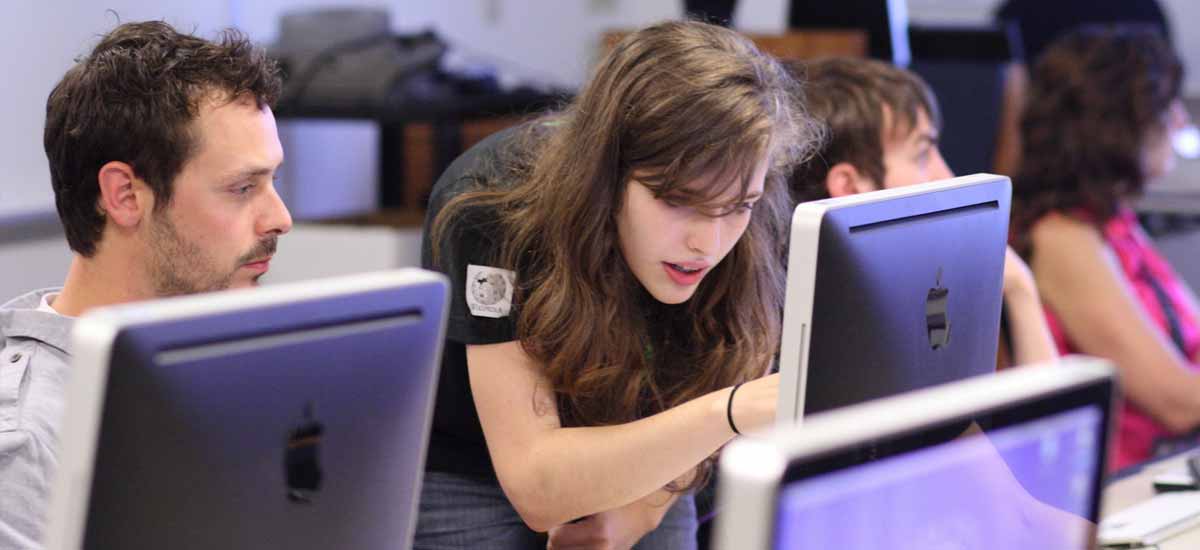
This is precisely why in-person, local computer classes remain one of the most effective ways for beginners to gain true digital confidence. Having an instructor in the room who can physically point to a key, guide your hand on a mouse, or answer real-time questions creates a supportive environment tailored to novice learners.
If you are eager to step into the digital world but do not know where to start, this guide will walk you through finding, evaluating, and getting the most out of local beginner computer classes.
Why Choose In-Person Learning Over Online Tutorials?
While the internet offers thousands of free guides, hands-on classroom environments provide distinct advantages for complete newcomers:
- Real-Time Troubleshooting: When a screen suddenly freezes or an unexpected popup appears, a local instructor can fix the issue instantly and explain what happened.
- Paced Learning: In-person classes move at a speed suited to the participants, ensuring no one is left behind before moving on to the next topic.
- Access to Equipment: You do not always need to own a laptop to take a class. Most local educational hubs provide desktop computers for practice.
- Community and Networking: Learning alongside peers who share similar goals eliminates the feeling of isolation and builds a encouraging community.
Top Places to Find Local Beginner Computer Classes
Finding quality instruction right in your neighborhood is often easier than you think. Several community-focused institutions offer accessible, low-cost, or completely free computer training.
Public Libraries
Your local public library is one of the best and most underutilized resources for digital education. Libraries frequently host free workshops covering fundamental topics such as:
- Mouse and keyboard basics
- Setting up and navigating an email account
- Safe internet browsing practices
- Introduction to word processing programs like Microsoft Word
Check your local library system’s physical bulletin board or official website for event schedules.
Community Colleges and Adult Education Centers
Most community colleges run non-credit personal enrichment programs designed specifically for adult learners and seniors. These courses are structured over several weeks and offer comprehensive, step-by-step instruction in a relaxed atmosphere. Topics often range from general computer literacy to basic spreadsheet management and digital photo organization.
Local Senior Centers and Community Centers
If you are a senior citizen or looking for classes for an older family member, community centers regularly organize technology literacy programs. These classes focus heavily on real-life tasks like video calling relatives, identifying online scams, and searching for news safely.
Non-Profit Organizations and Career Hubs
Local non-profit groups, goodwill training centers, and job development agencies frequently offer basic computer literacy programs. Because basic computer literacy is a key factor in employment, these workshops aim to teach essential skills needed for entry-level workplace environments.
What Essential Skills Should a Good Beginner Course Cover?
Before signing up for a class, review the syllabus or course description to make sure it matches your needs. A well-rounded beginner course should focus on the fundamentals rather than complex technical jargon:
- Hardware and Operating Systems: Understanding how to power on a device, use a keyboard, navigate desktop menus, and adjust basic system settings.
- File Management: Learning how to create folders, save documents, locate missing files, and organize digital storage.
- Internet and Email: Opening web browsers, using search engines effectively, writing emails, attaching files, and managing password security.
- Basic Software Operations: Getting comfortable with essential office tools for typing letters, creating simple spreadsheets, or reading digital documents.
- Cybersecurity Basics: Identifying suspicious links, recognizing phishing emails, and adopting safe online practices.
How to Prepare for Your First Class
To maximize your learning experience and reduce first-day jitters, keep these practical tips in mind:
- Bring a Notebook and Pen: Writing down step-by-step instructions in your own words is a proven way to reinforce physical muscle memory when working on a keyboard.
- Write Down Your Questions: Keep a list of specific things you want to accomplish—such as learning how to attach a photo to an email or how to print a file—so you can ask your instructor during open practice time.
- Don’t Be Afraid to Make Mistakes: Computers are designed to handle errors, and pressing the wrong button rarely causes permanent harm. Treat every mistake as a step forward in the learning process.
- Practice Between Sessions: Like learning a new language, digital literacy improves with consistent repetition. Spend 15 to 30 minutes each day practicing the skills taught during your last lesson.
Conclusion
Taking the step to search for local computer classes is the beginning of an empowering journey toward digital independence. Learning basic technology skills opens up vast opportunities for communication, productivity, entertainment, and professional growth. By reaching out to local libraries, community colleges, and neighborhood centers, you can find a supportive face-to-face environment tailored to your exact pace. Embrace the learning curve, ask questions freely, and remember that every tech expert was once an absolute beginner.
Would you like me to help you draft a specific search query or contact template to reach out to local centers near your location?